
Reference Live
Product summary
A factual summary of Oliv AI, the AI agents it runs for revenue teams, the apps they work in, where you use them, who they're for and how Oliv AI is sold.
On this page
Oliv AI builds AI agents for revenue teams. The agents prospect, close, retain and expand revenue alongside your people. They work as a layer on top of the CRM you already use, and keep it updated, rather than replacing it.
At a glance
| What it is | AI agents for revenue teams, working as a layer on top of your CRM |
| How you work with it | You ask two agents, Olivia and Oliver, for work in plain language |
| Where you work | A web app with Home, Agents, Apps, Reports, Records, Activities, Playbook and Settings in the sidebar |
| What the agents read | Calls, meetings, email, Slack, in-person conversations and your CRM |
| Apps | Converse, Forecast and Retain, plus the Enable and Engage add-ons |
| Who it's for | Sales development, sales, sales engineering, onboarding, customer success, account management, RevOps and enablement |
| How it's sold | Role-based plans per person, with agent actions billed separately |
What Oliv AI is
Oliv AI is a set of AI agents for revenue teams that sits on top of an existing CRM. The agents work with your team to prospect, close, retain and expand revenue. Each agent owns one part of that work, and every agent reads from the same record of your accounts and deals.
Oliv AI isn't a CRM. It works with the CRM you have, brings the customer context together and keeps your systems updated. You don't need a clean CRM to start either. Oliv AI's Olivia agent reads what's already there, messy data included.
The agents don't wait for a prompt. They run in the background, start work from signals and schedules, and collaborate with your team and with each other.
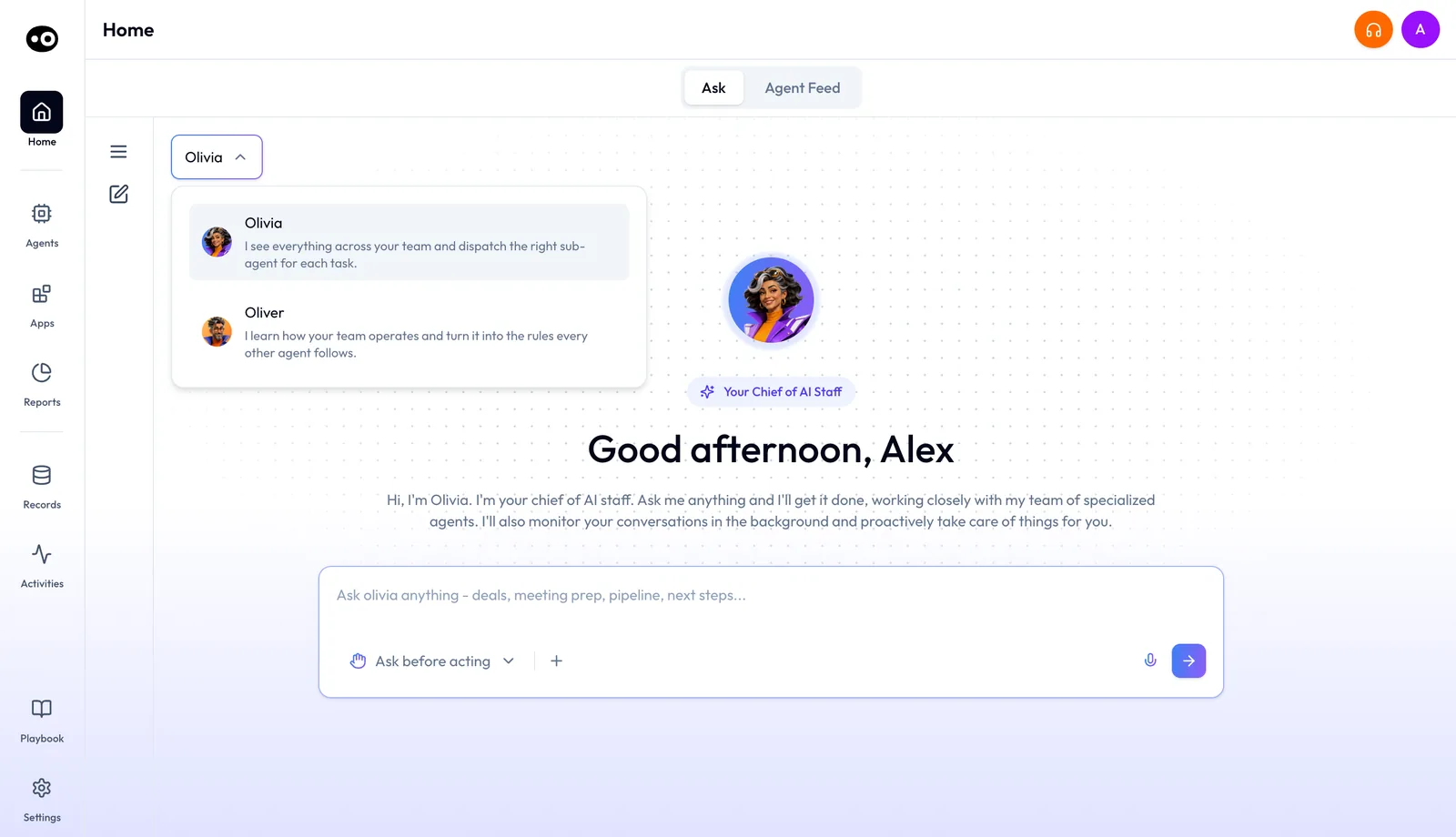
You start on Home. Its Ask tab is where you talk to Olivia or Oliver, picked from one menu, and its Agent Feed tab shows what the agents have done.
How Oliv AI works
Every agent runs on four layers of context. Each layer adds something the next one needs.
- Context capture. Oliv AI captures your calls, emails, Zoom meetings, messages and in-person meetings. It enriches them with third-party data from ZoomInfo, 6Sense and LinkedIn.
- Context graph. The context graph connects every conversation, message and activity to the right people, account and opportunity. Your agents know who said what, and which deal it belongs to.
- Process graph. Oliv AI learns your product, qualification criteria, processes and exceptions from your documentation and from the field. It writes that knowledge down in a process graph, your playbook in a form agents can follow.
- Signal graph. More than 100 specialized small language models each focus on one revenue question. They read conversations in full and update the account and opportunity context as new information arrives. The signal graph holds those precomputed answers.
Oliv AI connects meeting, phone, email and Slack activity to the right accounts, contacts and opportunities in your CRM. That includes accounts with more than one open opportunity. It can also bring account and opportunity context back into Salesforce, or into Snowflake, Databricks or Redshift.
The agents
Agents are the product. You talk to two of them, and they hand focused work to specialist agents. The agents overview shows how they fit together.
The two agents you talk to
- Oliv AI's Olivia agent is your Chief of AI Staff. You ask for something in plain language, and she answers or hands the work to a specialist agent and reports back.
- Oliv AI's Oliver agent is your Chief GTM Engineer. It keeps the playbook every other agent follows up to date.
Put simply, Oliver configures how agents work, and Olivia coordinates their tasks across your team.
Specialist agents
| Agent | What it does |
|---|---|
| Oliv AI's Deal Driver agent | Tracks deals, flags risks, sends a weekly pipeline update and loops in sales managers at key moments |
| Oliv AI's CRM Manager agent | Creates and enriches accounts and contacts, updates fields, and creates deals from your qualification criteria |
| Oliv AI's Meeting Assistant agent | Prepares you for meetings, takes notes, assigns action items and sends the follow-up email |
| Oliv AI's Forecaster agent | Rolls up call, upside, commit and best case, with AI notes on risks and changes |
| Oliv AI's Coach agent | Maps skill gaps per rep, prescribes small coaching tasks and tracks progress weekly |
| Oliv AI's Content Curator agent | Finds the call moments that match your enablement priorities, clips them and sends them to the right people |
| Oliv AI's Prospector agent | Builds tailored outreach and runs campaigns to turn target accounts into pipeline |
| Oliv AI's Researcher agent | Researches accounts and buyers for ICP fit and context, and develops a point of view |
| Oliv AI's Portfolio Manager agent | Tracks CSM portfolios and flags the accounts that need attention |
| Oliv AI's Gold Digger agent | Finds expansion signals across your accounts |
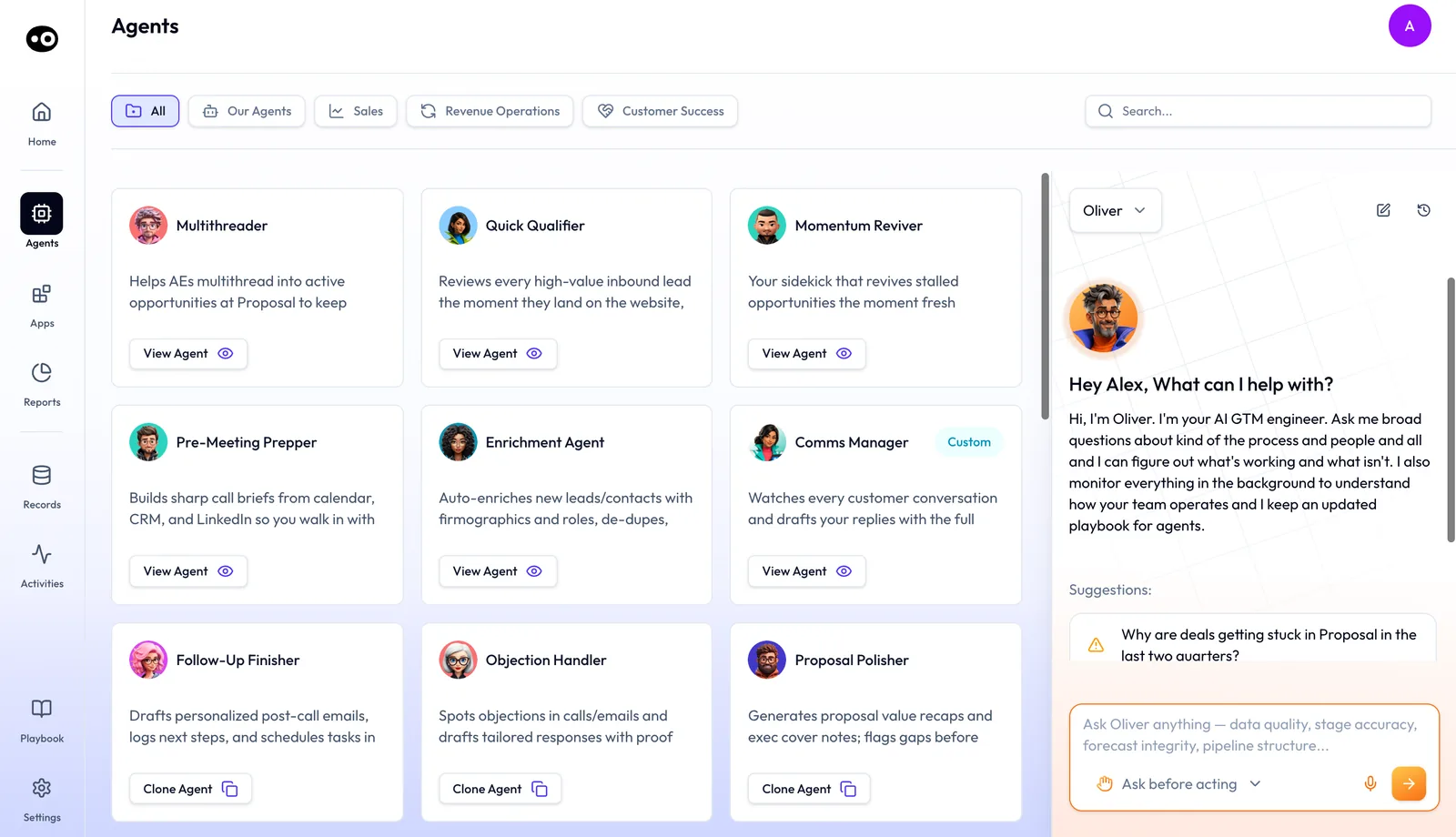
The agent marketplace on oliv.ai lists pre-built agents for specific jobs, and you can create your own. In the web app, Agents opens the same kind of marketplace. Filter by All, Our Agents, Sales, Revenue Operations or Customer Success. View Agent opens an agent your organisation already runs, and Clone Agent copies a pre-built one to start from.
What every agent is built from
Every agent with a detail page is built from the same parts. The agent builder overview explains each one.
- Instructions state the agent's objective, its process and its output.
- Tools are the actions the agent may take, such as looking up a record or drafting an email.
- Triggers and schedules start an agent on auto-pilot, from an event or at a fixed time.
- Knowledge is the background reading an agent works against, such as an ICP document or a solution deck.
- Run history is the record of every time the agent has worked.
How much the agents do on their own
You decide how much freedom each agent has. Every tool an agent holds is set to Auto Run, Requires Approval or Agent Decides, as tools and run modes explains. A conversation with Olivia or Oliver is set to Ask before acting or Act without asking.
When an agent writes an email rather than sending it, the draft goes in front of a person first. You can check any agent's work afterwards in its run history, which shows each email it wrote and each change it made.
The apps
The apps are where your team reviews conversations, opportunities and accounts. Every role gets the apps it needs. The apps overview covers how they share one record with the agents.
| App | What it covers |
|---|---|
| Converse | Call recording, transcription and AI summaries across online meetings, phone calls, in-person meetings, email and Slack |
| Forecast | Opportunity management: opportunity grids, sales methodology tracking, buying committee tracking, deal health and risks, forecast boards and submissions |
| Retain | Account management: customer grids, health scorecards, churn risks, retention forecast boards, product usage and support ticket tracking |
| Enable | Coaching: evaluating customer conversations against coaching scorecards to find where a rep needs help |
| Engage | Outreach: email and LinkedIn, with calling and messaging channels added separately |
In the web app, the Apps menu opens Engage, Forecast and Enable. Recorded conversations live under Activities, as Meetings and Calls. Records holds Deals, Companies and Contacts, and Reports holds My Reports and an analyst Library.
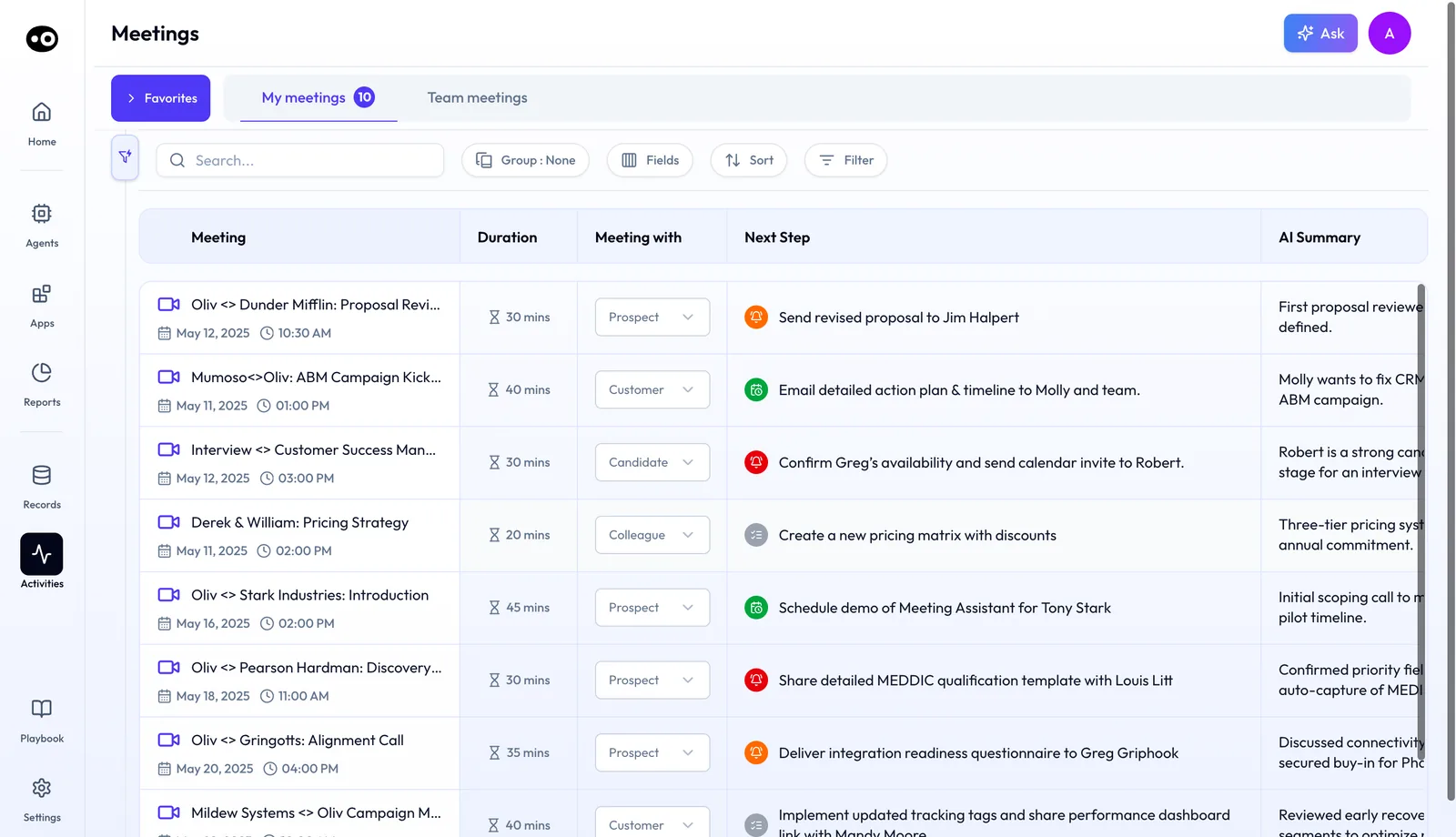
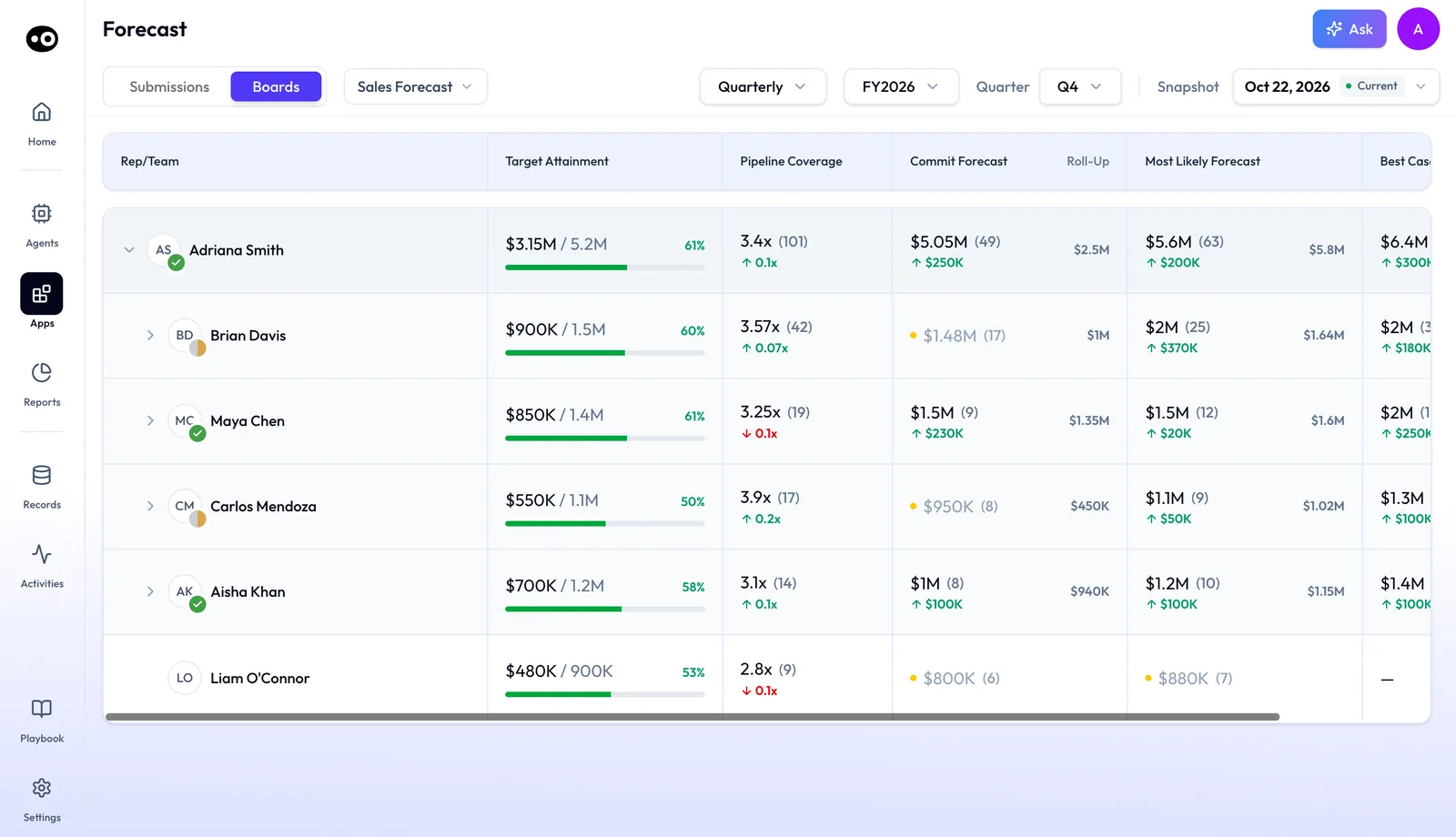
The Converse app is built to understand context, not just track keywords. Sales methodology tracking follows the framework you activate in Settings › Qualification Framework: MEDDPICC, MEDDIC, SPICED, BANT or DRIVE.
Where you use Oliv AI
- The web app. Home, agents, apps, reports, records, activities, the playbook and settings live here.
- Slack. Agents deliver their work where your team already talks. A meeting summary arrives in Slack as soon as each meeting ends.
- Your meetings. Oliv AI joins Zoom, Google Meet and Microsoft Teams automatically, and joins Webex calls through the Webex App Hub. Bot and botless recording covers how each meeting is recorded.
- Outlook. An add-in is available for Outlook on Windows and on Mac.
- Chrome. The Oliv Conversation Intelligence extension brings call recording and transcription to the browser.
- iPhone and iPad. The Oliv AI app sits in on in-person conversations, records them and transcribes every word. It needs iOS 15.1 or later.
In-person conversations can also be captured through the Plaud integration. Your CRM connects through Salesforce, HubSpot or Zoho. The integrations overview lists the rest.
Who Oliv AI is for
Oliv AI runs agents across the whole revenue lifecycle: sales development, sales, sales engineering, onboarding, customer success, account expansion, revenue operations and enablement.
- Account executives and sales leaders use agents to prep meetings, follow up and move deals forward. Running deals as an account executive follows one AE's week.
- Sales development uses agents to find, qualify and engage the right buyers faster.
- Customer success and account management use agents to spot risks, protect renewals and catch expansion signals.
- Revenue operations uses agents to keep process, data and forecasts clean.
- Enablement turns winning behaviors into coaching and content.
Oliv AI fits teams that run a CRM and want agents to do work on top of it. It isn't a fit for a team looking to replace its CRM, because Oliv AI depends on one underneath.
How Oliv AI is sold
Oliv AI sells seats by role. There are four plans, Amplify, Converse, Sell and Grow, and they stack: Converse includes Amplify, Sell includes Converse, and Grow includes Sell. You assign each person the plan whose apps their work needs. Plans and seat roles maps each role to a plan.
Enable and Engage are add-ons, priced separately. Agent actions are billed separately from app subscriptions, through credits, on every plan. An agent action is a task an agent completes, such as researching an account or updating a CRM record. Current prices are on Oliv AI's pricing page.
How you get started
There's no rip and replace on day one. You connect only what you need today and migrate when you're ready.
Oliv AI's in-house GTM engineers connect your data, learn your process, and build and improve agents with your team. In a proof of concept, Oliv AI maps your team to the right apps and scopes one agent use case. It estimates your credit spend and measures the value before rollout. For the trade-offs of building agents in-house instead, see build versus buy.
Company facts
| Name | Oliv AI |
| Website | oliv.ai |
| Category | AI agents for revenue teams |
| Apps | Web app, iPhone and iPad app, Chrome extension, Outlook add-in |
Common questions
Is Oliv AI a CRM?
No. Oliv AI is a layer that sits on top of your existing CRM. It brings the customer context together and keeps your CRM updated.
Do I need to replace Salesforce or HubSpot?
No. Oliv AI works with your existing CRM, whether that's Salesforce, HubSpot or Zoho. Agents read deals, contacts and fields from it and write updates back.
Which agent do I talk to?
Oliv AI's Olivia agent, for day-to-day work on deals, meetings and accounts. RevOps and revenue leaders talk to Oliv AI's Oliver agent to change the process rules the agents follow.
Do agents act without my approval?
Only if you let them. Each tool is set to Auto Run, Requires Approval or Agent Decides. Each conversation with Olivia or Oliver is set to Ask before acting or Act without asking.
Can I build my own agents?
Yes. You can pick a pre-built agent from the marketplace or create your own. Building custom agents is part of every plan.
What does Oliv AI capture?
Online meetings, phone calls, in-person meetings, email and Slack. Each conversation is connected to the right people, account and opportunity.
Can Oliv AI record in-person meetings?
Yes. The iPhone app records and transcribes in-person conversations. Oliv AI also captures in-person meetings through its Plaud integration.
We don't have a RevOps team. Can we still roll it out?
Yes. Oliv AI's in-house GTM engineers connect your data, learn your process, and build agents with your team.
How is Oliv AI priced?
By seat role, with four stacking plans and two add-ons. Agent actions are billed separately through credits. Current prices are on the pricing page.
Can I start with only part of Oliv AI?
Yes. You connect only what you need today and migrate when you're ready. A proof of concept scopes one agent use case first.